Create AI Polaroid Camera Photo
 Wasim · 14 Sept 2025
Introduction
This guide will show you how to create AI-generated Polaroid-style photographs using the Gemini AI app.
We’ll prepare two images, apply a custom Gemini prompt, and generate a final photo with the desired retro Polaroid look.
Step 1: Prepare Two Images
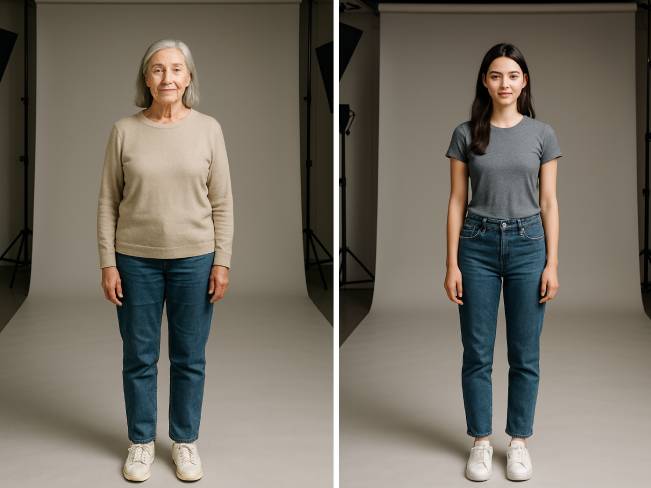
I have generated two images of a young and old female. These will be used in the Gemini prompt.
Step 2: Open Gemini App on Desktop or Mobile
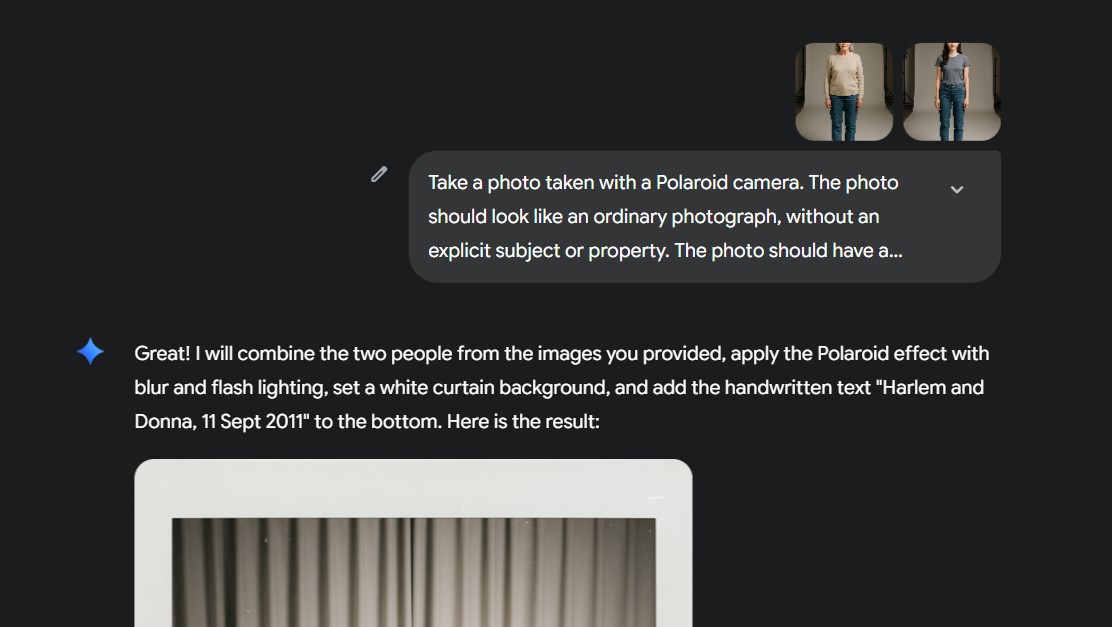
Open Gemini and paste the following prompt:
Take a photo taken with a Polaroid camera. The photo should look like an ordinary photograph, without an explicit subject or property. The photo should have a slight blur and a consistent light source, like a flash from a dark room, scattered throughout the photo. Don’t change the face. Change the background behind those two people with white curtains.
Add handwritten text overlay “Harlem”, 11 Sept 2011 bottom.
Step 3: Download Generated Image

Once Gemini generates your photo, download it.
You can edit the text inside the prompt to personalize the output (for example, change “Harlem” to another name or date).
Final Prompt
Take a photo taken with a Polaroid camera.
The photo should look like an ordinary photograph, without an explicit subject or property.
The photo should have a slight blur and a consistent light source, like a flash from a dark room, scattered throughout the photo.
Don’t change the face. Change the background behind those two people with white curtains.
About the Author

Wasim Shaikh is an experienced UI/UX Developer & Front-End Engineer with 15+ years of expertise.
Based in Ahmedabad, Gujarat, India, he specializes in Liferay, React, Angular, Next.js, Tailwind CSS, and CMS integrations.
He regularly shares insights on web development, SEO, and performance optimization through his blog wasimshaikh.com.